
AppGrid journal
Launchpad Is Gone in macOS Tahoe — How to Get It Back
Quick answer: Launchpad is gone in macOS Tahoe. Apple replaced it with the Apps browsing view in Spotlight, and there is no setting that restores Launchpad’s fixed grid, pages, or folders. To get that visual workflow back, use a dedicated launcher such as AppGrid or LaunchOS. For a built-in fallback, add the Applications folder to the Dock.
Update: macOS 27 Golden Gate is confirmed, and Launchpad still isn’t back. See does macOS 27 Golden Gate bring back Launchpad? for the full rundown.
Best ways to replace Launchpad on macOS Tahoe
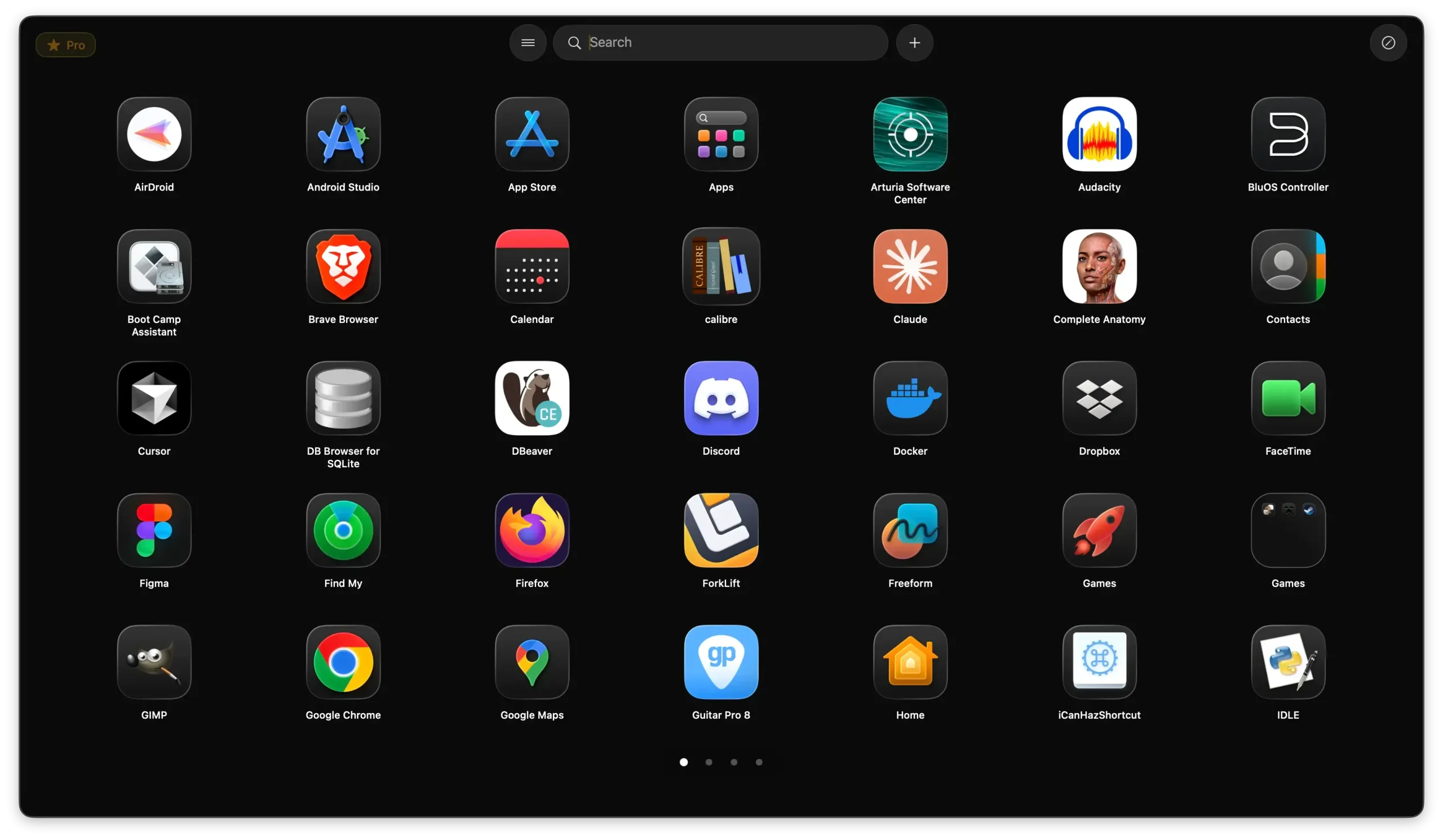
If you want a full-screen app grid with pages and folders, AppGrid provides that workflow and can import an old Launchpad layout when its source data is still available. LaunchOS is another Launchpad-style option focused on classic interactions. The Applications folder in the Dock is the simplest built-in fallback, while Undye is an experimental workaround based on older system components.
Disclosure: AppGrid is our product. The alternatives below are included so you can choose the workflow that fits you.
| Option | Best for | Main tradeoff |
|---|---|---|
| AppGrid | Getting the Launchpad grid back with import, folders, pages, and organization tools | Advanced triggers and bulk tools are Pro |
| LaunchOS | Closest visual recreation of Launchpad interactions | Tahoe-only and direct-download focused |
| Applications folder in Dock | No-install built-in fallback | No custom pages, folders, or saved layout |
| Undye | Experimenting with the old interface temporarily | Fragile workaround, likely to break with updates |
What happened to Launchpad in macOS Tahoe?
Apple replaced Launchpad with an Apps browsing view inside Spotlight. Apple’s macOS Tahoe feature list describes Apps as a way to browse applications—including suggested apps and eligible iPhone apps—and open the view from Spotlight or its Dock icon. It behaves differently from Launchpad’s manually arranged grid.
What you lost:
- The fixed grid layout — apps were in positions you knew
- Pages — the ability to organize apps across multiple screens
- Folders — nested groups of related apps
- Spatial memory — launching by sight rather than by typing
What replaced it:
- A search bar that doubles as an app list
- A scrolling view of all apps, not a fixed grid
- No folder or page structure
For users who relied on Spotlight or Alfred anyway, the change is barely noticeable. For anyone who opened apps by scanning a visual grid, it's a significant workflow disruption.
Why did Apple remove Launchpad?
Apple has not published a detailed explanation for removing Launchpad. Its Tahoe materials instead present app browsing as part of Spotlight, alongside files, actions, and clipboard history. That points toward a more search-centered launcher, but anything beyond that is inference rather than a stated reason from Apple.
Launchpad had also changed little between macOS Lion and macOS Sequoia. In Tahoe, Apple chose the Spotlight-based Apps view rather than carrying that interface forward.
What you can do about it
Option 1: Use AppGrid (best overall Launchpad replacement)
AppGrid is a grid-based app launcher built specifically for people who lost Launchpad in macOS Tahoe. It provides a visual grid instead of the new Apps/Spotlight list:
- Same layout — fixed grid with pages and folders
- Import an available layout — when the original Launchpad database or a suitable backup is still readable, AppGrid can recreate its pages, folders, and icon positions.
- Free core features — the basic grid experience is free, matching what Launchpad offered
- Pro features — multi-select (move, remove, or group multiple apps at once), uninstall apps, alphabetical sort, save/restore layout, hot corners, category colors
If you had Launchpad organized exactly the way you wanted, the import feature alone saves hours of reorganization.
Download AppGrid free — direct download for macOS Tahoe, free to start, Pro upgrade available.
AppGrid has also been covered by 9to5Mac, Macworld, MacTech, and other Apple-focused publications in the context of replacing Launchpad on macOS Tahoe. See press coverage and user reviews.
Option 2: Use LaunchOS
LaunchOS is another third-party Launchpad replacement for macOS Tahoe. Version 2.3.0 focuses on recreating classic Launchpad interactions and documents pages, folders, native layout import, sorting, gestures, hot corners, and layout reorganization. Compare it with AppGrid and other options.
Option 3: Use the Applications folder in the Dock
Right-click the Dock → Add Folder → choose your Applications folder. Set it to display as a Grid. It's not as flexible as Launchpad, but it's native and requires zero setup.
Limitation: No custom pages, no folders within the stack, no custom layout.
Option 4: Try Undye as a temporary workaround
Undye attempts to bring back the old Launchpad interface by relying on older system components. That can be useful for experimentation, but it is not the same as a supported replacement and may stop working after macOS updates. For a daily launcher, AppGrid or LaunchOS is a more dependable path.
Option 5: Use a keyboard launcher
If you're open to changing your workflow entirely, Raycast and Alfred are excellent. Type the first few letters of an app name and hit Enter. Fast and powerful, but a completely different mental model from grid-based launching.
Should you downgrade to macOS Sequoia?
Some users have. Launchpad works fine on macOS Sequoia (15), and if the removal is a dealbreaker, staying on Sequoia is a valid option for now.
That said, macOS Tahoe brings enough improvements that it's worth finding a replacement rather than holding back indefinitely. AppGrid is designed to make that transition painless.
Summary
| AppGrid | LaunchOS | Applications Folder | Undye | |
|---|---|---|---|---|
| Grid layout | Yes | Yes | Limited | Yes, workaround-based |
| Pages & folders | Yes | Yes | No | Depends on macOS state |
| Import old Launchpad layout | When source data is readable | Yes, according to current documentation | No | Not a stable migration path |
| Free core option | Yes | Free tier available | Yes | Yes |
| Best daily replacement | Yes | Yes, especially for visual fidelity | Fallback only | No, temporary workaround |
If Launchpad was part of your daily workflow, AppGrid is a direct way to restore a visual app grid without changing macOS itself.
FAQs
Is Launchpad completely gone in macOS Tahoe?
Yes. Launchpad has been removed from macOS 26 (Tahoe) and replaced with a new Apps/Spotlight hybrid view. There is no supported way to restore the original Launchpad.
Can I get Launchpad back with a Terminal command?
Some Terminal workarounds circulate online, but they are unreliable — they tend to break after system updates and don't fully restore the Launchpad experience. A dedicated replacement like AppGrid is more stable.
Will Apple bring Launchpad back?
Unlikely. The removal appears intentional and aligned with Apple's long-term direction for macOS. Third-party replacements are the practical path forward.
Does AppGrid import my old Launchpad folders and pages?
When the original Launchpad database or a suitable backup is still available and readable, AppGrid can import its pages, folders, and icon positions. It cannot reconstruct a layout after that source data is gone.
Is there a free Launchpad replacement for macOS Tahoe?
Yes. AppGrid's core tier is free and covers the essential grid experience. The Pro upgrade adds multi-select, app uninstalling, sorting, and layout saving.
Does macOS 27 Golden Gate bring back Launchpad?
No. macOS 27 Golden Gate, confirmed at WWDC 2026, keeps the same Apps/Spotlight-style launcher introduced in Tahoe. Read more about Golden Gate and Launchpad.